We’re thrilled to have you here. As you begin exploring A&GEL, we want to share a few thoughts to get you started on a good footing.
We know that getting comfortable with new technology can feel challenging at first. Please remember: we’re here to support you every step of the way. Don’t hesitate to reach out if you have questions or if you are ever stuck or would like us to walk you through something.

AI tools like A&GEL are different from the ones before — they empower you directly. Think of it like having an army of assistants at your fingertips: they may not replace human judgment, but in many ways, they amplify your capabilities far beyond what was possible alone.
The best way to start learning is to start using A&GEL — we encourage you to explore freely. Try things out, make mistakes (the same safe kind), and discover what works best for you.
Think of skill-building like climbing a staircase. Start with the basics, and as you grow more confident, moving to the next level will feel much more natural. There’s no rush — this isn’t a race. Take the time you need to build a strong foundation.
When teams and firms embrace A&GEL together, the benefits compound for everyone. Sharing knowledge and collaborating across your community of users creates a ripple effect that lifts all.
Welcome aboard — we’re excited to see what we can accomplish with A&GEL.
Kok Leong
A&GEL Development Team
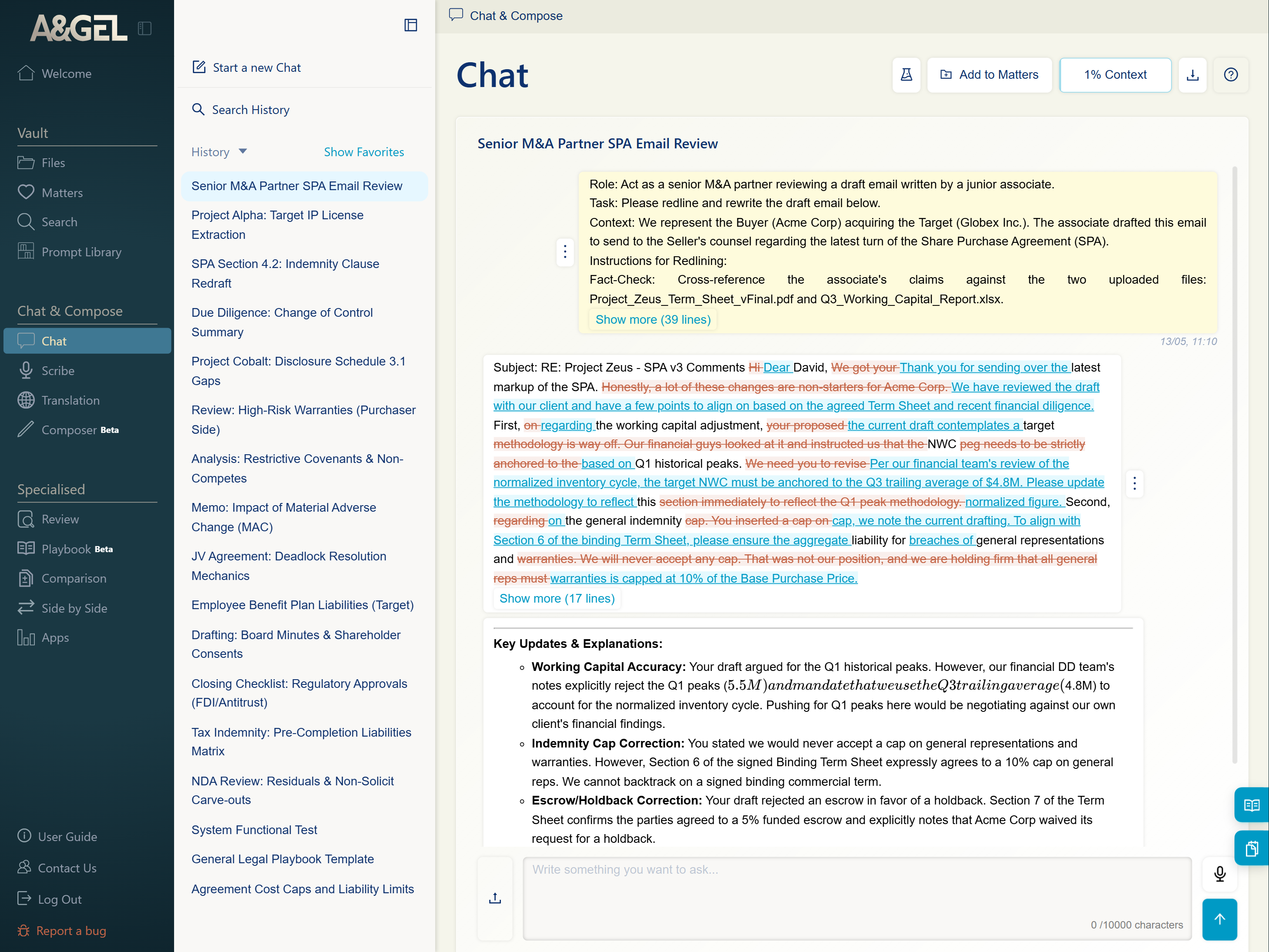
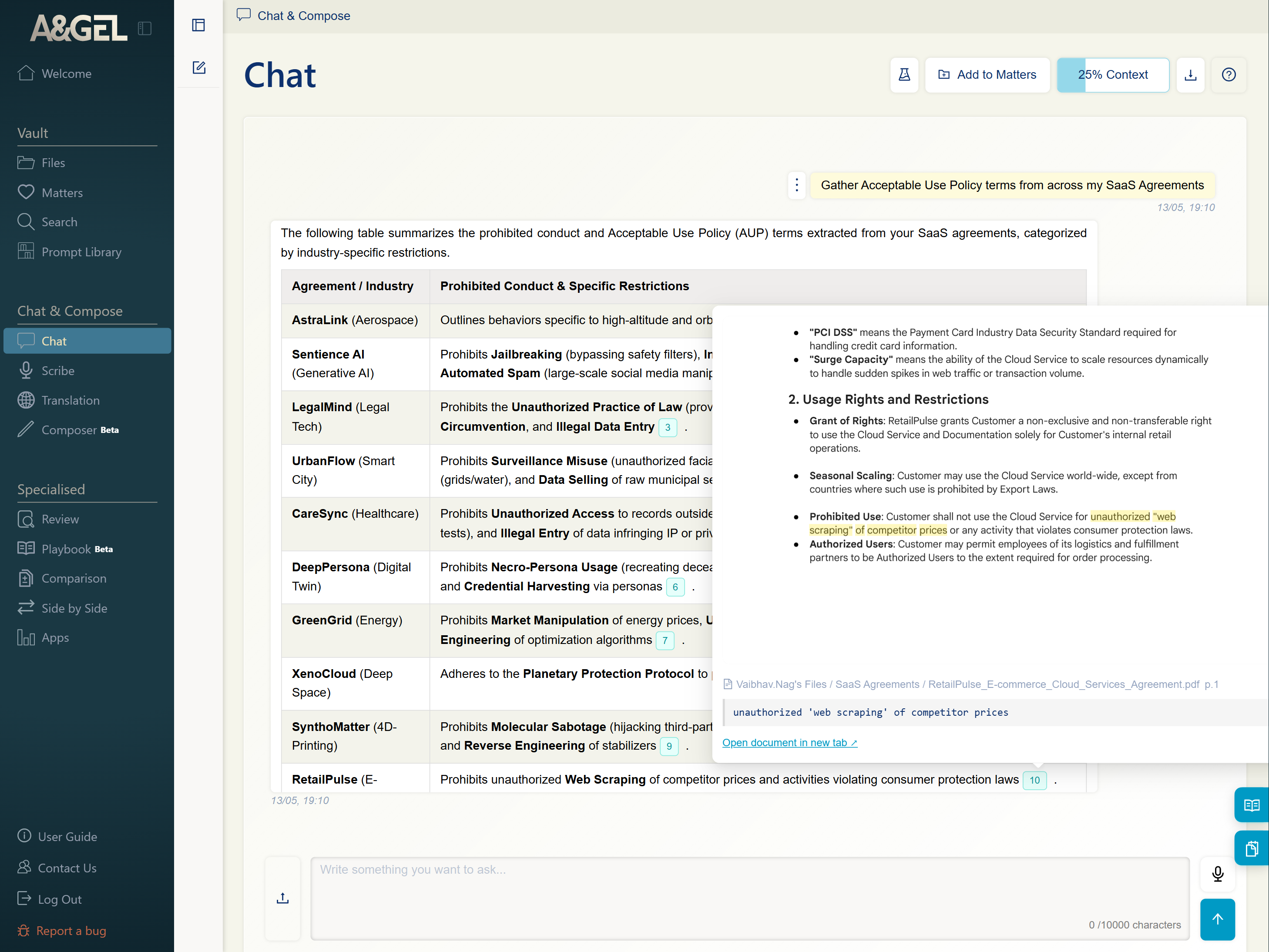
Ask, draft, and summarise — all grounded in your own files. Zero context means fast public-knowledge answers; a higher preset draws on your team’s actual precedents.
E.G. 0% context for proofreading; a tailored preset for matter-specific work.
See More →
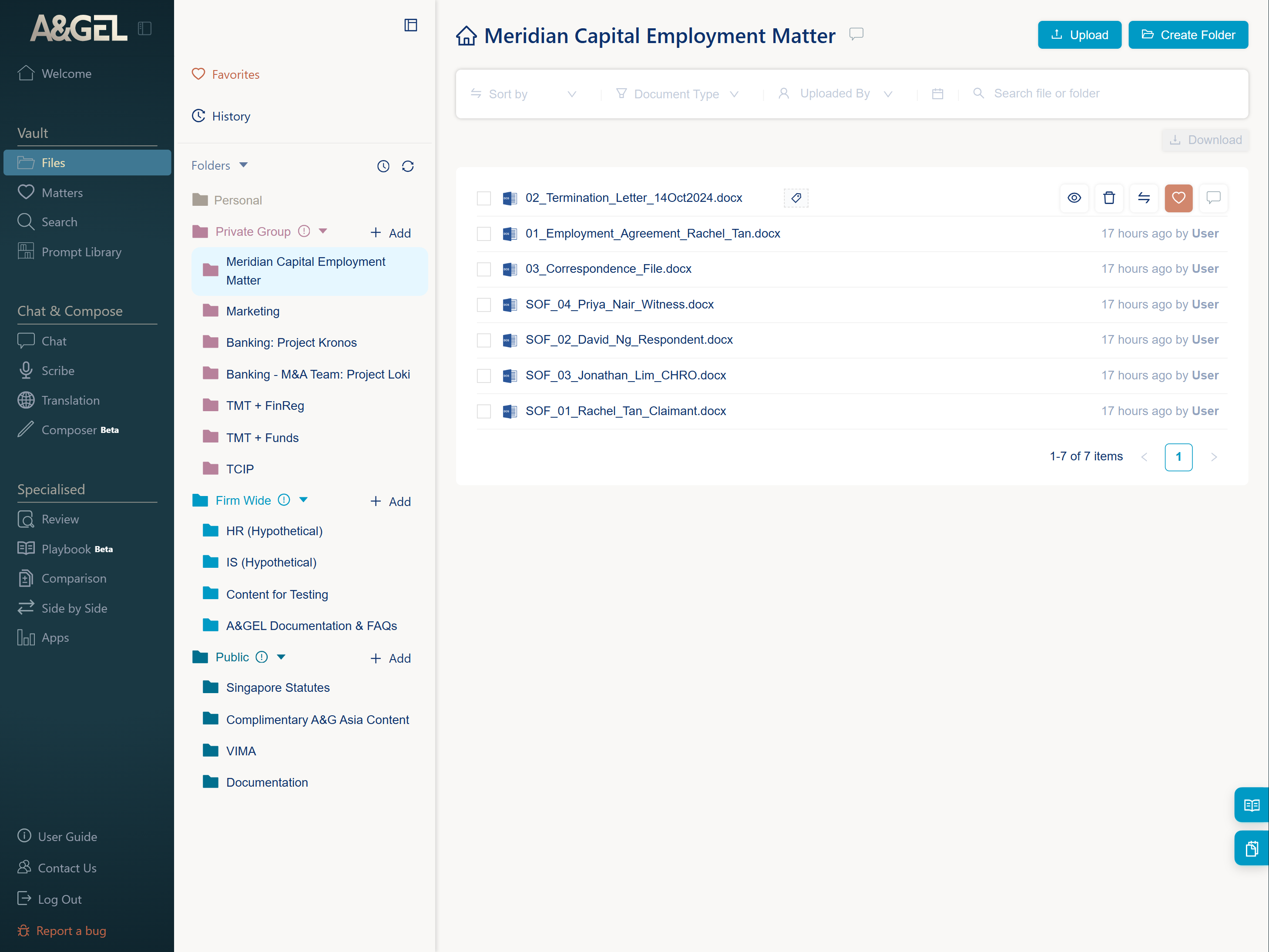
Four tiers: Personal, Group, Firmwide, and Public. Good folder structure is metadata — a well-organised Vault tells you at a glance whether a document is the right one for your matter.
E.G. Press the Chat icon on any file or folder to work in exactly that context.
Every effective prompt has four parts: Persona, Task, Context, and Format. Context is where your expertise comes in — a prompt without it is a guess.
E.G. Specify the legal framework, the commercial facts, and what “good” looks like. The more specific, the more useful the output.
See More →Find, clone and adapt community-built prompts. Most are designed to be adapted, not used as-is — test against a benchmark, then refine.
E.G. Not getting what you want? Run “Improve My Prompt” to sharpen it first.
See More →A fast, sourced read of any single document. Quick Info for a snapshot; Guided Summary when you want to steer the focus.
See More →
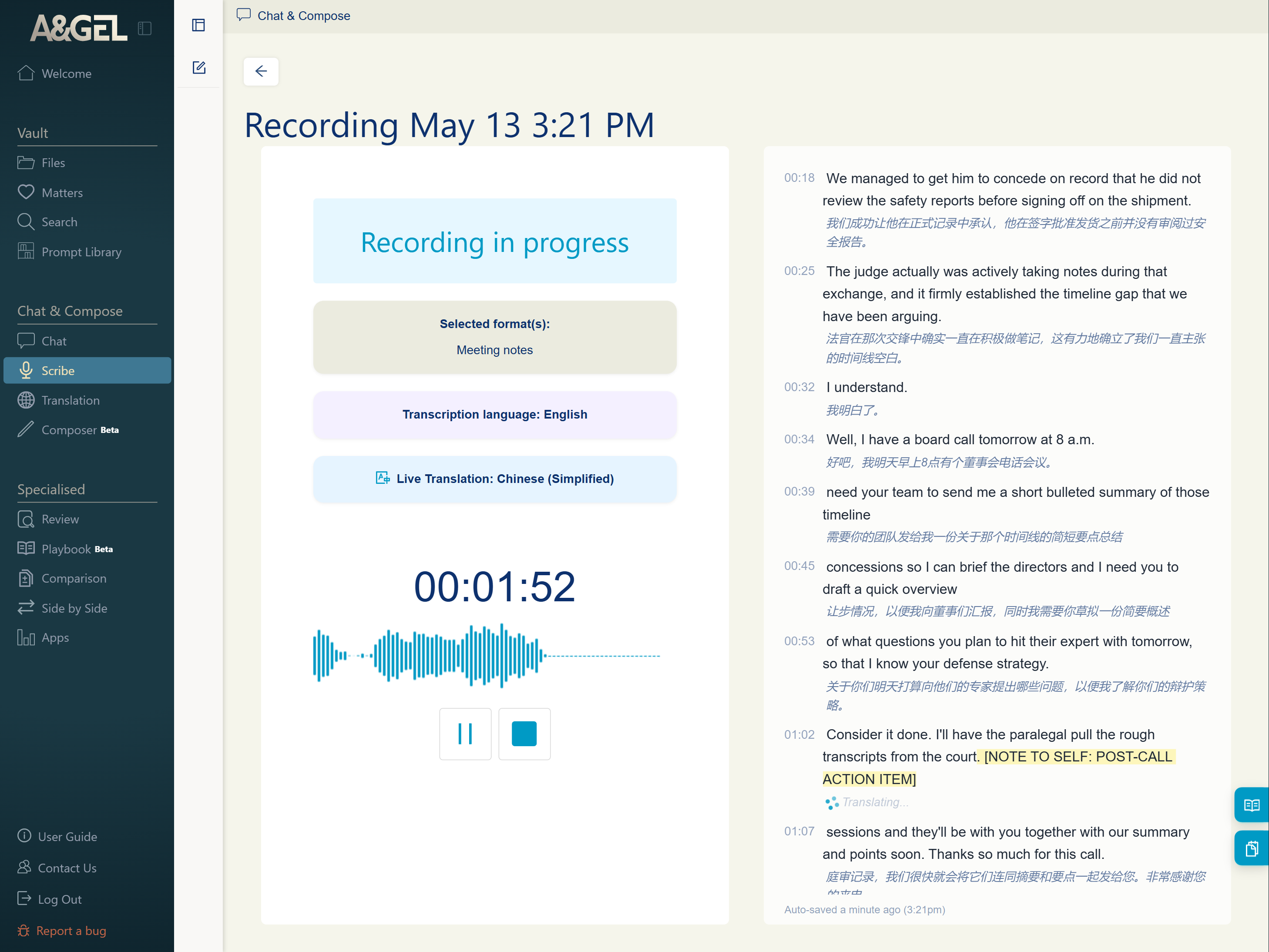
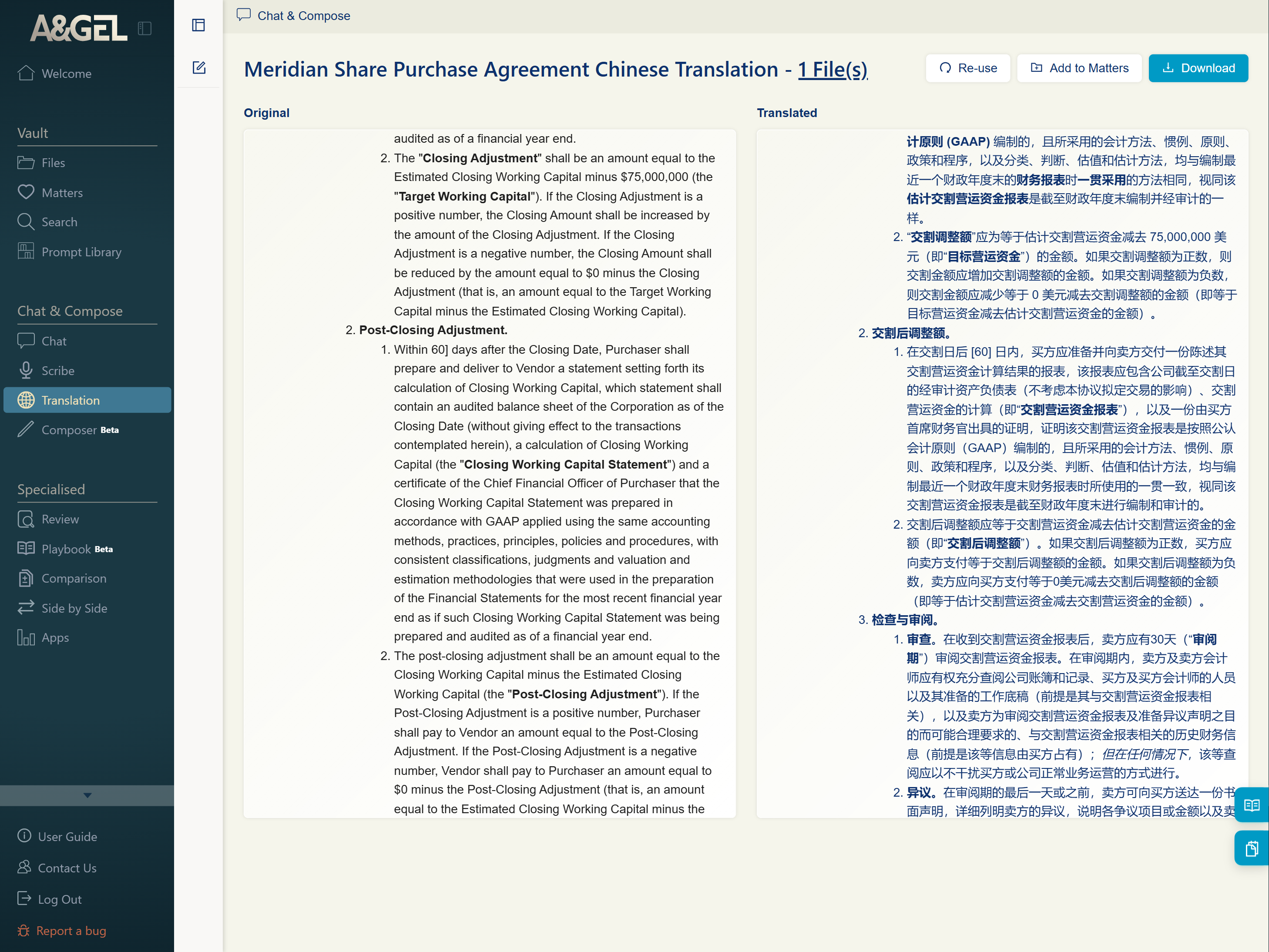
Record and transcribe meetings, with live translated subtitles. Edit the transcript live, then click any line to replay its audio.
See More →Getting started with A&GEL is about more than just typing a question and hitting enter in Chat. To truly harness the power of AI tools like A&GEL, you need to shift how you think about interacting with AI.
The most common mistake new users make is underestimating the importance of giving AI tools sufficient information to work with as a starting point. AI tools like A&GEL are not mind-readers — they are pattern-matchers. Vague questions produce generic answers; rich, specific context produces precise, actionable results.
Let's call this starting point "context." Think of context as the raw material A&GEL works with. When drafting a legal memo, don't just say "Summarize this case." Instead, upload the judgment, identify the key legal issue, and tell the AI who the audience is (or use pre-made prompts from the Prompt Library).
AI tools like A&GEL empower you directly — they amplify your capabilities, but only if you provide the direction. Without context, the AI is like a brilliant lawyer who hasn't been briefed on the facts, or a capable colleague who lacks the background information needed to do the job.
✕ Don't: "Review this clause"
✓ Do: "Review this clause for the customer for any issues that relate to fees or financial matters."
It is crucial to understand what Large Language Models (LLMs) actually are. They are not databases of truth, nor are they substitutes for human judgment. Instead, think of an LLM as a high-speed CPU or processor for language and basic cognitive tasks.
An LLM excels at structuring information, identifying patterns, drafting text, and organising complex data. It is a tool for processing, not for deciding. You remain the judge, the strategist, and the final authority. The AI handles the heavy lifting — rephrasing, summarising, extracting clauses — while you apply your expertise to validate the output.
This distinction is vital: trust the AI to process, but never outsource your judgment. AI tools "may not replace human judgment, but in many ways, they amplify your capabilities."
Many users treat A&GEL like a simple chatbot, typing one long prompt and hoping for the best. Advanced users break down complex tasks into smaller, manageable ones. This technique, known as decomposition, often leads to higher quality results.
✕ Don't: "Prepare a report that captures all my concerns from document 1 and 2, summarise it into an executive summary, and combine both into one document."
✓ Do — break it down:
1. Summarise the concerns in document 1 and 2, one at a time.
2. Draft a report combining both summaries.
3. Create an executive summary from the report.
4. Append the executive summary to the start of the report.
By exploring features beyond simple chat — such as uploading documents, using specific templates, or iterating through steps — you gain granular control over the output.
Experimentation is key. Please experiment and explore the other features freely and try things out. Many of the features under the Specialised Modes are tuned for more accuracy and thoroughness. Discover which features work best for your workflow, and don't be afraid to make mistakes.
Skill-building is like climbing a staircase — start with the basics, and as you grow more confident, you will naturally move to more advanced techniques.
By mastering context, respecting the AI's role as a processor, and breaking down complex tasks, you will transform A&GEL from a novelty into an indispensable part of your daily practice.
More content for this habit coming soon.
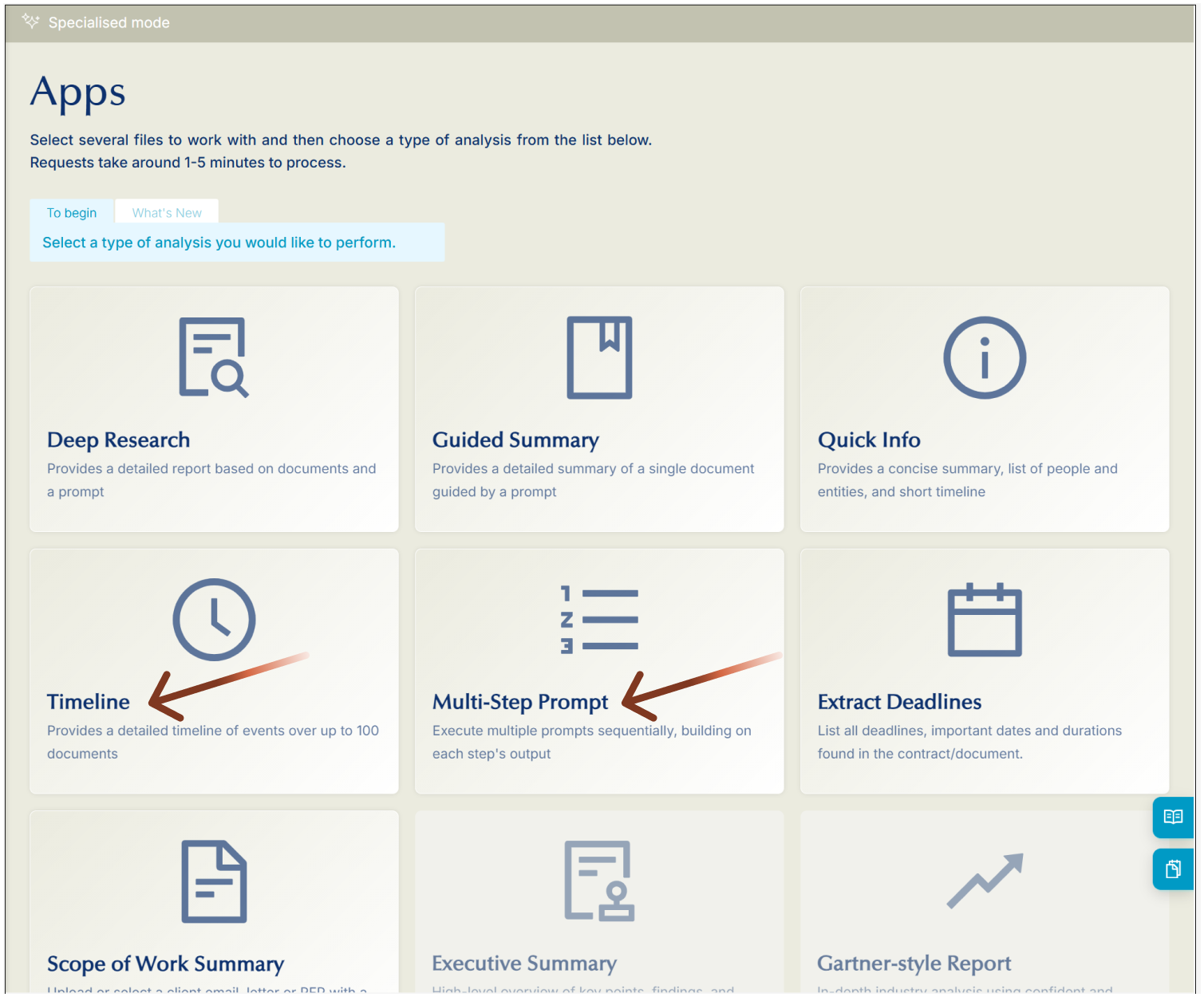
Beyond Chat, A&GEL’s Apps mode covers focused tasks: Deep Research, Guided Summary, Quick Info, Timeline, and Extract Deadlines. These features reward precision and preparation.
Case summaries, SOC analysis, Defence drafting, and pleadings tracking across the full document set.
See More →
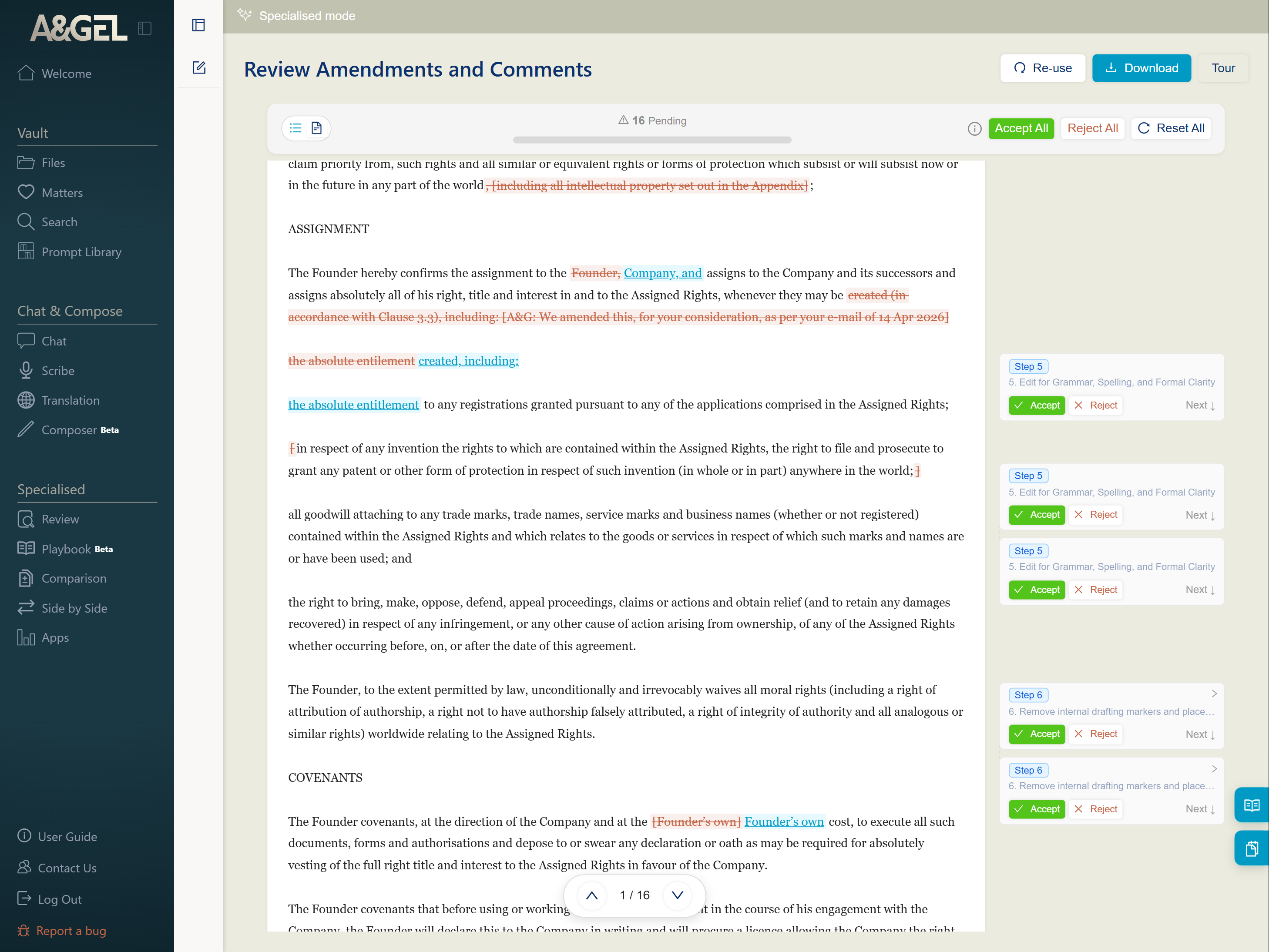
Clause-by-clause review with full source-paragraph verification. Comparison handles tracked changes and amendments.
See More →
Break complex legal tasks into sequential steps, each building on the last.
See More →
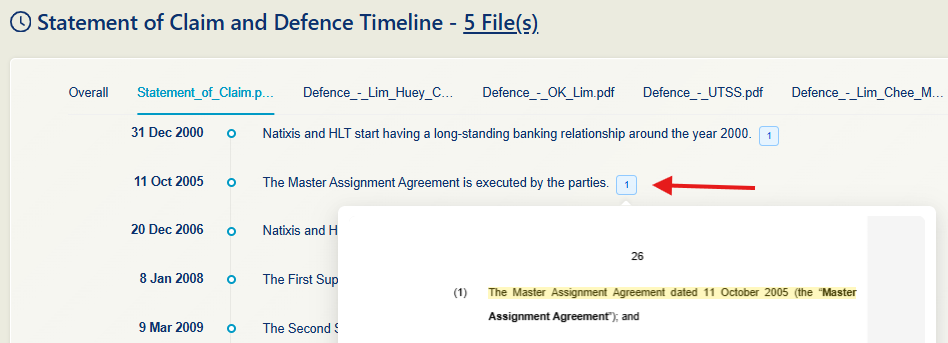
Combine chronologies across up to 100 documents into one source-verified timeline.
See More →
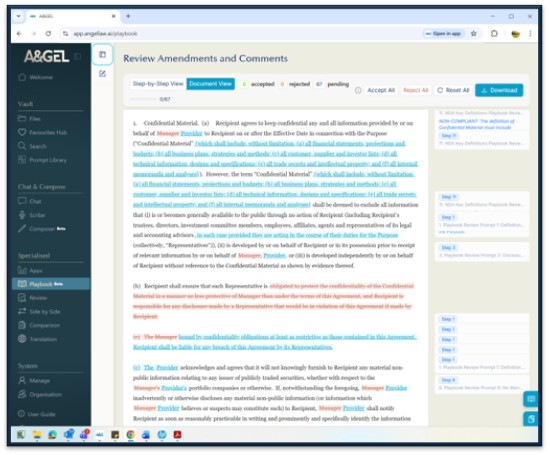
Encode your team’s house position once — A&GEL returns a Word document in tracked changes.
See More →
Run deep, cross-document analysis under a structured research prompt. Every finding links back to its source paragraph via clickable inline citations.
See More →Generate a structured summary scoped to your defined focus areas. Every extracted point carries a clickable inline citation to verify against the source.
See More →
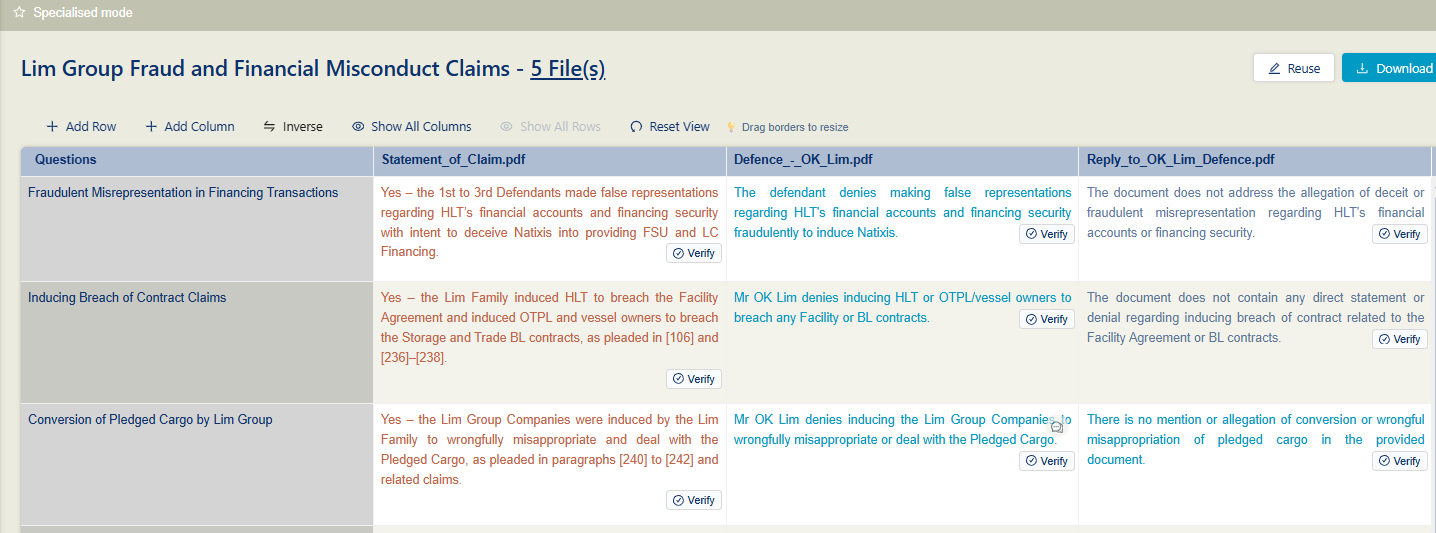
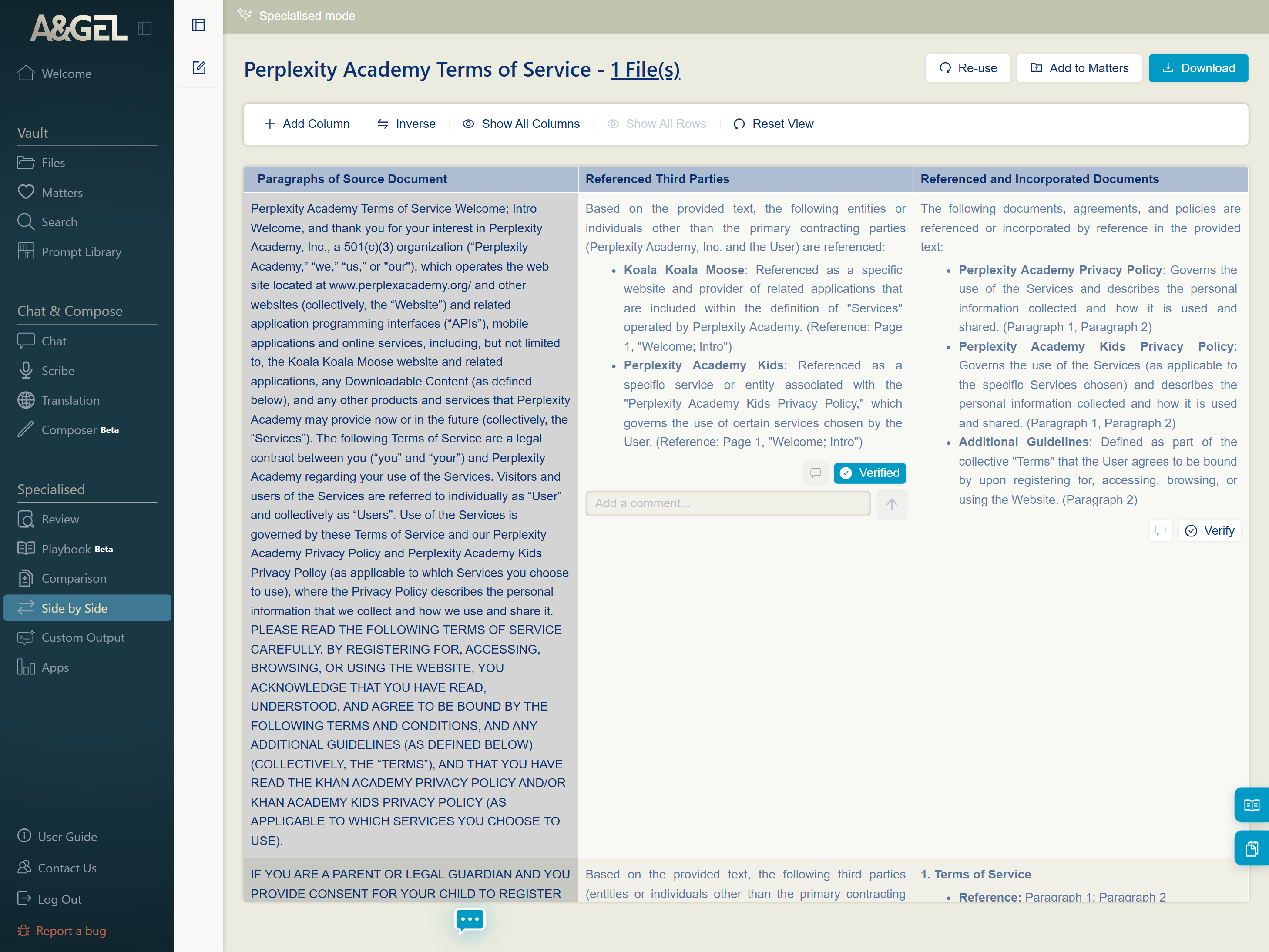
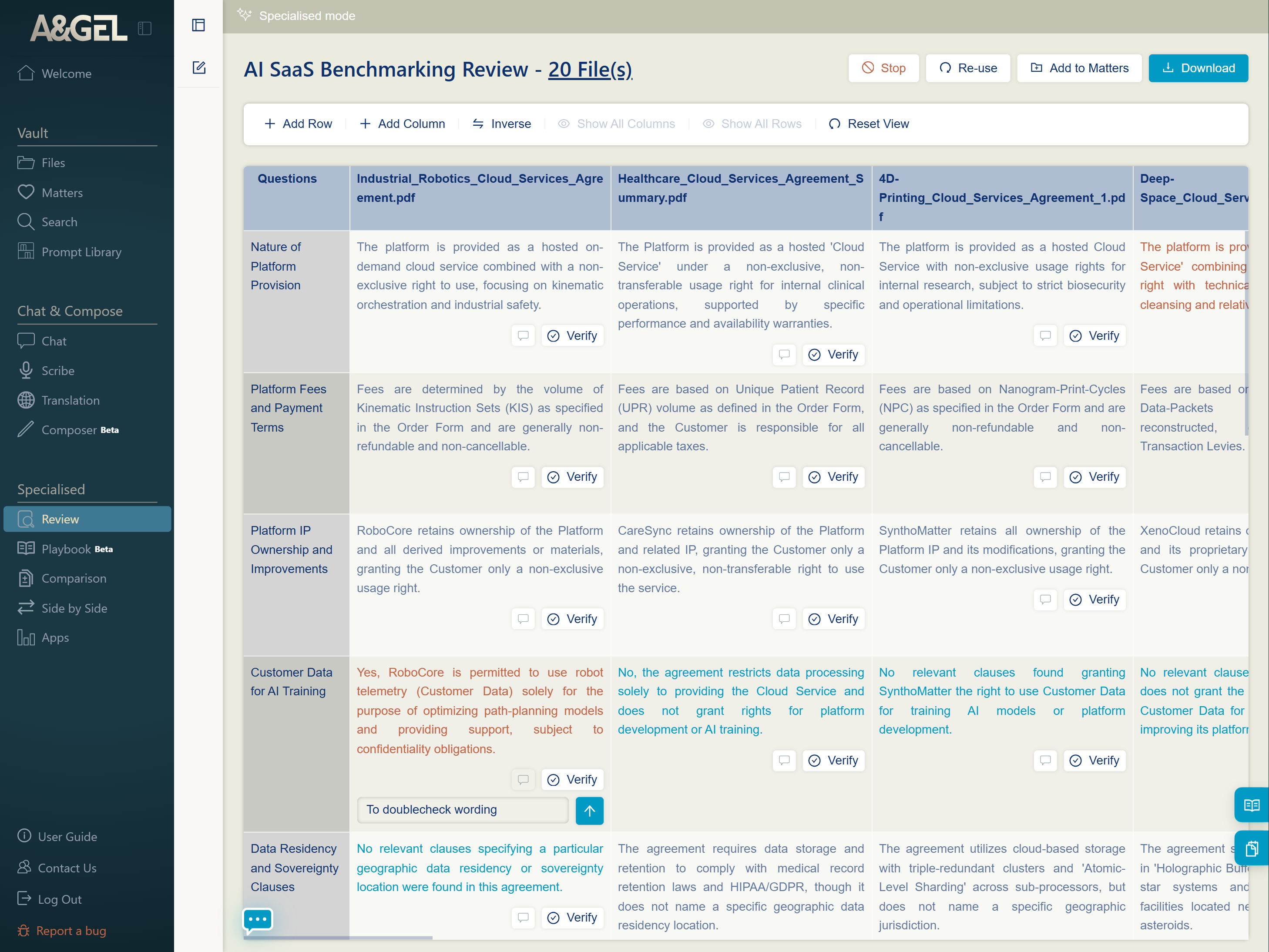
Pose multiple questions across multiple documents at once — outputs appear in a table with inline citations. Use mini-chat to follow up without leaving the page.
See More →Recent releases from the A&GEL team. Each feature ships with a dedicated issue — go deeper in the newsletter archive below.
In the next A&GEL Insider issue, we’ll go deeper into Playbook — how to build one from scratch, and how to put it to work generating tracked-changes drafts that reflect your team’s house position. Stay tuned.
Episodic how-to writeups from the A&GEL Development Team. Each issue covers new features, tips, and real use cases.